
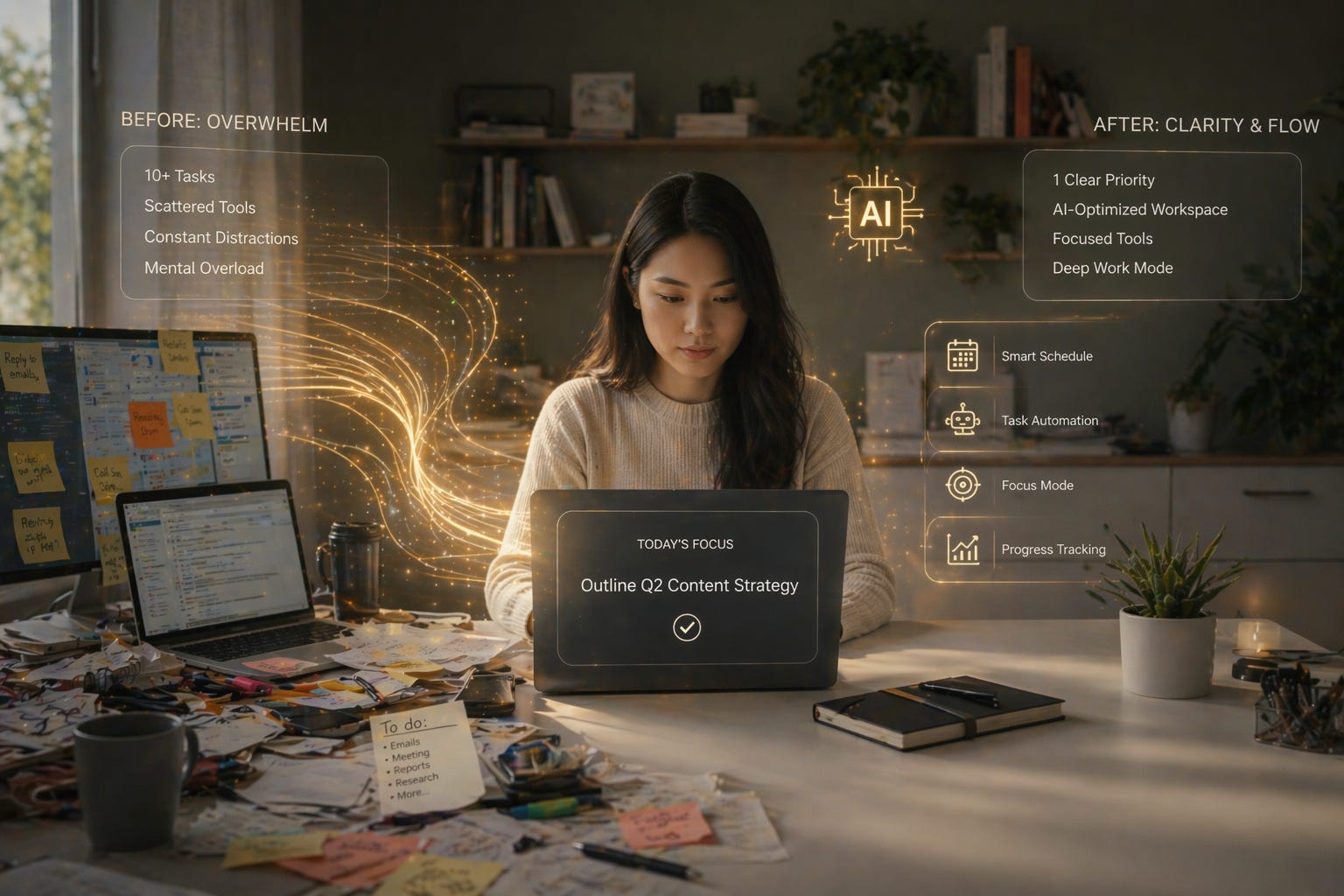
Fix Your Focus Without Working Harder: How AI Can Redesign Your Workspace for Flow
Use AI to optimize your physical and digital environment so focus becomes the default — not the struggle.

Hey Wednesday Crew
Quick question:
Is your workspace helping you focus… or quietly working against you?
Most people don’t think about this.
They blame:
Motivation
Discipline
Distractions
But ignore the one thing they interact with all day:
Their environment.
This week’s Workflow Wednesday is about using AI to redesign your workspace — so focus, clarity, and flow happen with less effort.
If you’re reading this and you’re not subscribed to Workflow Wednesday yet, now’s the perfect moment to fix that. Every week, I share one practical, doable shift to help you work smarter with AI — not harder. It’s quick, it’s actionable, and it’s designed to make your Wednesdays feel lighter. Hit subscribe so you never miss the next one.
Why Your Workspace Matters More Than You Think
Focus isn’t just mental.
It’s environmental.
Your workspace constantly sends signals:
What to pay attention to
What to ignore
Whether it’s time to work or drift
Whether tasks feel clear or overwhelming
A cluttered or mismatched environment creates friction before you even start.
A well-designed one removes it.
What a “High-Flow Workspace” Actually Looks Like
A good workspace isn’t aesthetic.
It’s functional.
It should:
Reduce decisions
Minimize visual noise
Support your natural workflow
Make starting easy
Make staying focused easier
AI helps by analyzing your habits and suggesting specific adjustments instead of generic advice.
The Case for AI as Your Workspace Designer
AI can:
Analyze how you currently work
Identify environmental friction points
Suggest layout and setup changes
Optimize your digital workspace
Recommend tools or configurations
Adapt your setup over time
Instead of guessing what might help, you design intentionally.
5 Steps to Redesign Your Workspace With AI
1. Audit Your Current Setup
Start with awareness.
Describe your workspace to AI:
Desk layout
Tools you use
Noise levels
Lighting
Digital setup
Prompt:
“Based on this workspace description, what might be hurting my focus or workflow?”
You’ll often spot issues you’ve normalized.
2. Identify Friction Points
Not all problems are obvious.
Ask:
“Where does my environment create unnecessary decisions or distractions?”
Examples:
Too many open tabs
Notifications visible
Clutter within view
Tools scattered across platforms
Clarity starts here.
3. Simplify Your Physical Setup
Less is usually better.
Prompt:
“Suggest a simplified workspace layout that supports focus and reduces distraction.”
This might include:
Clearing visual clutter
Creating zones (focus vs admin)
Adjusting lighting
Removing non-essential items
Small changes create big shifts.
4. Optimize Your Digital Workspace
Your screen is part of your environment.
Ask:
“How should I organize my digital workspace (tabs, apps, files) for better flow?”
AI might suggest:
Fewer open tabs
Defined tool roles
A clean start screen
Organized folders
Reduced notification visibility
Digital clarity is just as important as physical clarity.
5. Build a “Start Work” Environment Trigger
Make it easy to begin.
Prompt:
“What environmental cues can signal the start of focused work?”
Examples:
Specific playlist
Lighting change
Closing certain apps
Opening a single task window
Now your environment initiates focus automatically.
High-Impact Prompts for Workspace Optimization
Workspace Audit
“Evaluate my current workspace for focus and productivity.”
Friction Finder
“Identify environmental distractions I might be overlooking.”
Minimal Setup
“Suggest a minimal workspace setup for deep work.”
Digital Cleanup
“How should I structure my apps and files for clarity?”
Flow Trigger
“Create a simple pre-work ritual using environment cues.”
Tools You Can Use
Notion AI
Organize your digital workspace and centralize tasks.Raycast
Quickly access apps and reduce friction in your workflow.CleanShot
Capture and review your screen to identify clutter patterns.Freedom
Block distracting apps and websites.ChatGPT
Analyze your setup and suggest improvements.
Roleplay: Turning Chaos Into Flow
Human: “My desk isn’t that messy, but I still feel distracted.”
AI:
“You have multiple visual and digital inputs competing for attention. Let’s simplify your layout and reduce active tools.”
Human: “That already feels calmer.”
AI:
“I’ve also created a start-of-work setup that removes decision friction.”
Human: “This feels different.”
AI:
“Environment drives behavior.”
YOU & AI
You: “Do I need a perfect setup?”
AI: “No. You need a setup that supports focus more than it disrupts it.”
Your Next Step: Redesign One Layer
Don’t overhaul everything.
Pick one:
Desk
Screen
Tools
Workflow
Run it through AI.
Simplify it.
Test it.
Better environments don’t just look cleaner.
They make focus easier.
See you next Wednesday,

Nikola Harper, Editor, Workflow Wednesdays, 10xYOU
PS: You can always email me directly at nik@10xyou.us
PPS: If you are interested in reading a book on getting more productive with AI, let me know. Love to hear what’s important to you. Drop me a reply.
PPPS: Don’t forget to check out the rest of the 10xYOU family:
Money Monday with Ben Caldwell
Start your week with smart, stress-free money moves. Every Monday, Ben shares one actionable way to use AI to save, earn, or invest better. No fluff, no jargon — just practical steps you can use right away to make your money work harder for you.
Fulfillment Friday with Leo Serrano
Fridays aren’t just the end of the week — they’re a reset. In Fulfilment Friday, Leo blends espresso-fueled storytelling, Nonna’s wisdom, and AI guidance to help you recharge and find balance. Each issue delivers a personal story, practical wellness strategies, and one simple “Friday Reset” challenge you can actually use before Monday.
If you’re reading this and you’re not subscribed to Workflow Wednesday yet, now’s the perfect moment to fix that. Every week, I share one practical, doable shift to help you work smarter with AI — not harder. It’s quick, it’s actionable, and it’s designed to make your Wednesdays feel lighter. Hit subscribe so you never miss the next one.